Why Your Next Mobile App Needs to Think Offline-First
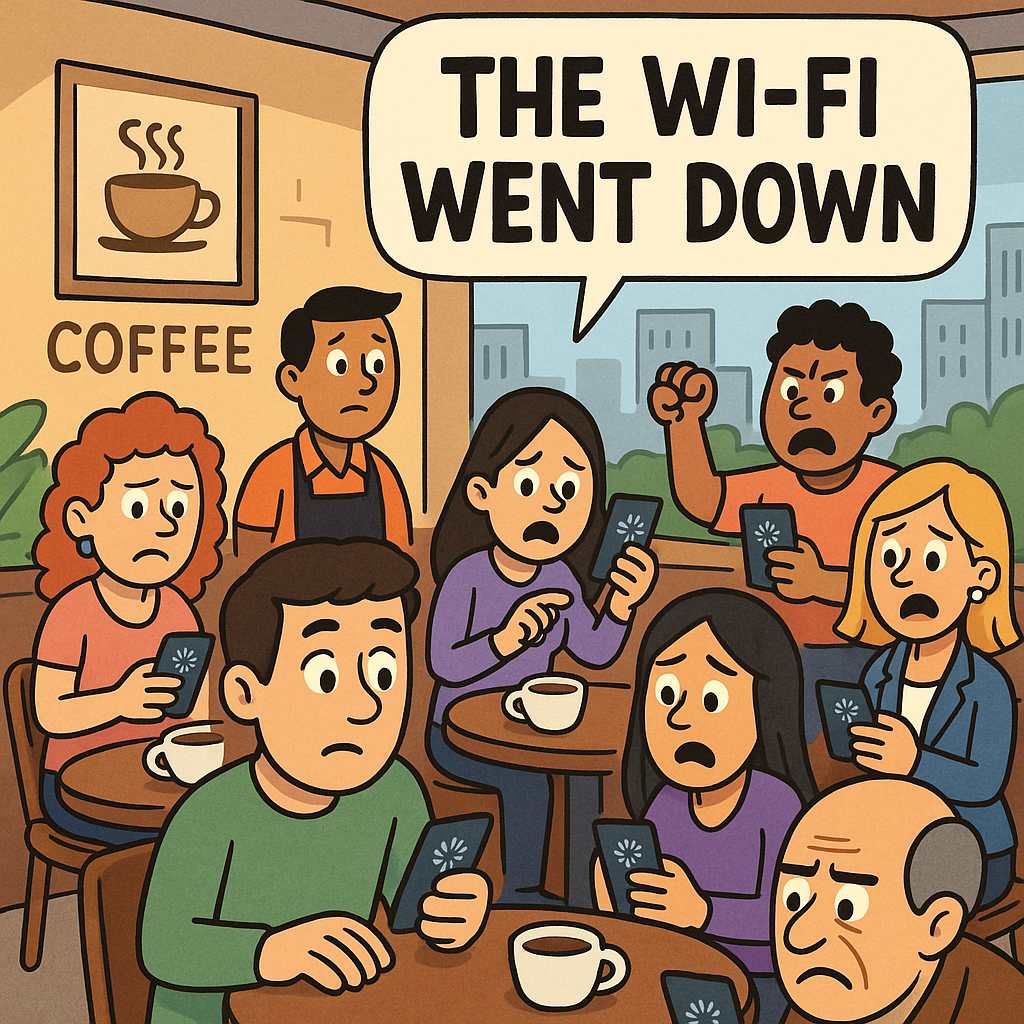
Last week, I was sitting in a coffee shop in Mexico City when the WiFi went down. Around me, I watched as people frantically refreshed their apps, growing increasingly frustrated as spinning wheels replaced the content they expected to see. It got me thinking about a conversation I'd had with a client just days before.
"Our users are complaining about the app being unreliable," they told me. "But our servers have 99.9% uptime!"
The problem wasn't their servers. It was that they'd built their app assuming everyone always has a perfect internet connection. Spoiler alert: they don't.
The Reality Check We All Need
Here's what many developers forget: your users aren't always sitting in their offices with fiber-optic connections. They're on subway trains going through tunnels. They're in elevators. They're traveling through areas with spotty coverage. They're trying to save on data costs.
And when your app stops working the moment the connection drops, you're essentially telling users that their experience doesn't matter unless conditions are perfect.
At Alluxi, we've seen this scenario play out countless times. A beautifully designed app with cutting-edge features becomes useless the moment users lose their connection. It's like building a Ferrari that only runs on premium fuel—impressive when it works, but not very practical for daily use.
What Offline-First Actually Means
Offline-first isn't about building apps that never connect to the internet. It's about designing your app to work seamlessly regardless of connection status. Think of it as building resilience into your product from day one.
When you design offline-first, you're essentially saying: "This app will always work. When there's an internet connection, it'll sync and update. When there isn't, users can still get things done."
Take a note-taking app we recently built for a client. Users can create, edit, and organize notes whether they're online or offline. When connection is restored, everything syncs seamlessly in the background. No lost work. No frustration. Just a smooth experience that users can depend on.
The Technical Magic Behind the Scenes
Now, I know what some of you are thinking: "This sounds complicated." And yes, there's definitely some technical heavy lifting involved. But the tools and techniques have come a long way.
Service Workers have become incredibly powerful for web apps, acting as a proxy between your app and the network. They can intercept requests, serve cached content, and queue actions for when connectivity returns. For native mobile apps, both iOS and Android provide robust APIs for local storage and background synchronization.
The key is thinking about data differently. Instead of always fetching from a server, you maintain a local database that serves as the source of truth for the user. This local data syncs with your server when possible, handling conflicts gracefully.
One approach we love is using a sync engine that queues all user actions locally. Create a task? It's saved locally first, then synced. Edit a document? Same thing. This queue-based approach means users never lose work, and the app feels lightning-fast because there's no waiting for server responses.
Real-World Success Stories
Let me share a quick story. We worked with a field service company whose technicians often worked in basements and remote locations with poor connectivity. Their old app required constant server communication, leading to lost work orders and frustrated technicians who had to remember details until they found a signal.
We rebuilt their app with an offline-first approach. Technicians could now access customer information, complete work orders, take photos, and collect signatures—all without an internet connection. When they returned to their trucks or found WiFi, everything synced automatically.
The result? Productivity increased by 40%, and technician satisfaction scores went through the roof. But more importantly, the company could now confidently take on jobs in areas they previously avoided due to connectivity concerns.
Common Pitfalls to Avoid
Building offline-first isn't without its challenges. Here are some mistakes we've seen (and occasionally made ourselves):
Conflict resolution nightmares: When multiple users edit the same data offline, you need a clear strategy for handling conflicts. Don't just pick "last write wins"—think about what makes sense for your users.
Storage bloat: Caching everything isn't the answer. Be strategic about what data lives locally and implement cleanup strategies to prevent your app from consuming too much device storage.
Security oversights: Local data needs protection too. Encrypt sensitive information and implement proper authentication even for offline access.
Poor user communication: Users need to understand what's happening. Clear indicators of sync status and what features are available offline prevent confusion and build trust.
Getting Started with Offline-First
If you're convinced (and I hope you are), here's how to start thinking offline-first:
First, identify your app's core functionality. What do users absolutely need to do, regardless of connection? Start there. You don't need to make everything work offline on day one.
Next, choose your tools wisely. For web apps, look into Service Workers and IndexedDB. For React Native, explore libraries like WatermelonDB or Realm. Native iOS developers should check out Core Data with CloudKit, while Android developers have Room with WorkManager.
Design your data model with syncing in mind. Use unique identifiers that work across devices, timestamp everything, and plan for conflict resolution from the start.
Most importantly, test in real-world conditions. Use network throttling tools, test on actual devices with airplane mode, and try switching between WiFi and cellular. Your users will encounter all these scenarios and more.
The Competitive Edge
Here's the thing: most of your competitors aren't thinking this way. They're still building apps that assume perfect connectivity. By going offline-first, you're not just solving a technical problem—you're showing users that you understand and respect their real-world needs.
In emerging markets where connectivity is inconsistent, offline-first apps aren't just nice to have—they're essential. Even in developed markets, users increasingly expect apps to just work, regardless of circumstances.
We recently had a client whose offline-first approach became their main differentiator. While competitors' apps showed error messages and loading spinners, theirs just worked. Guess which one users preferred?
Looking Forward
The future of mobile apps isn't about faster connections—it's about not needing them at all times. As we build more sophisticated apps that handle sensitive data and critical workflows, offline-first becomes not just a feature, but a fundamental requirement.
At Alluxi, we've made offline-first a standard part of our development process. It requires more upfront planning and a shift in thinking, but the payoff in user satisfaction and app reliability is immense.
So next time you're planning a mobile app, ask yourself: will this work in an elevator? On a plane? In that coffee shop with terrible WiFi? If the answer is no, it might be time to reconsider your approach.
Your users will thank you for it. And that frustrated person in the coffee shop? They might just become your biggest advocate.